Hide details in a UPI payment screenshot
Share proof of payment without your UPI ID, phone number, bank account or transaction ID. Works with any UPI app screenshot.
This page in other languages:हिंदी
Drop files here
or paste a screenshot with Ctrl+V
PNG, JPG, WebP PDF up to 50 pagesMax 25 MB eachUp to 20 files at once
Processed on your device. Your file is never uploaded.Prove it
Pick a document to hide its fields in one click.
Detected items are covered right away. You can still uncover any of them.
Runs on your device. Downloads a 19 MB model once.
ID photos, selfies, people in screenshots. Runs on your device.
Balanced
Recommended. Catches most things without much noise.Before and after
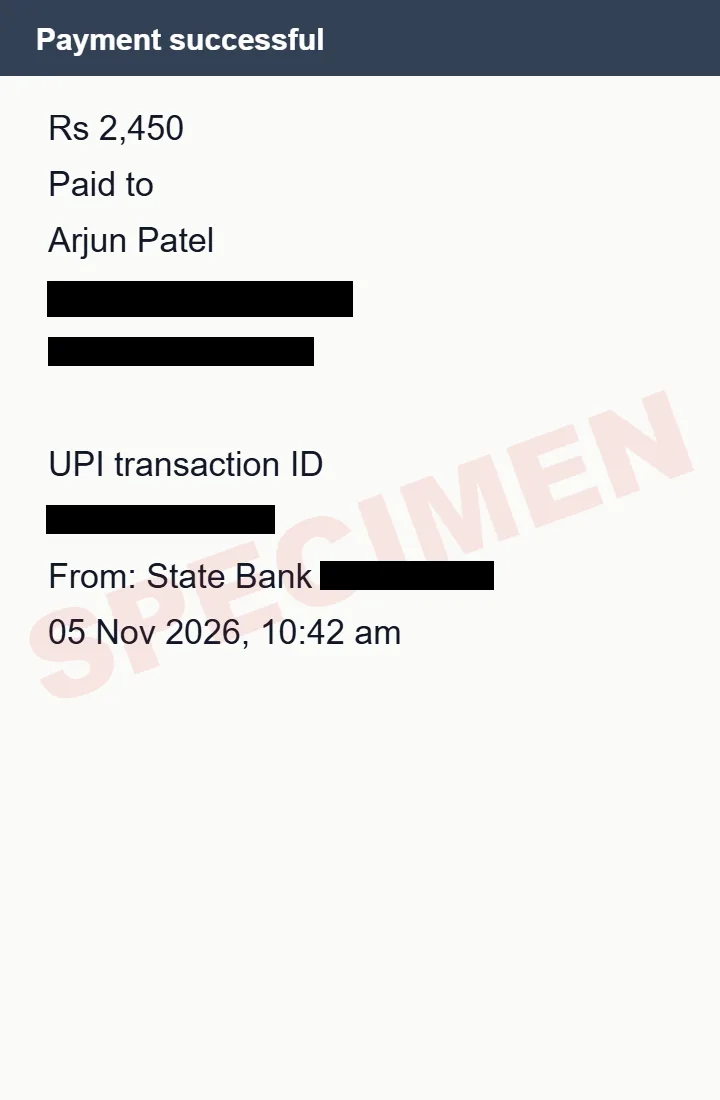
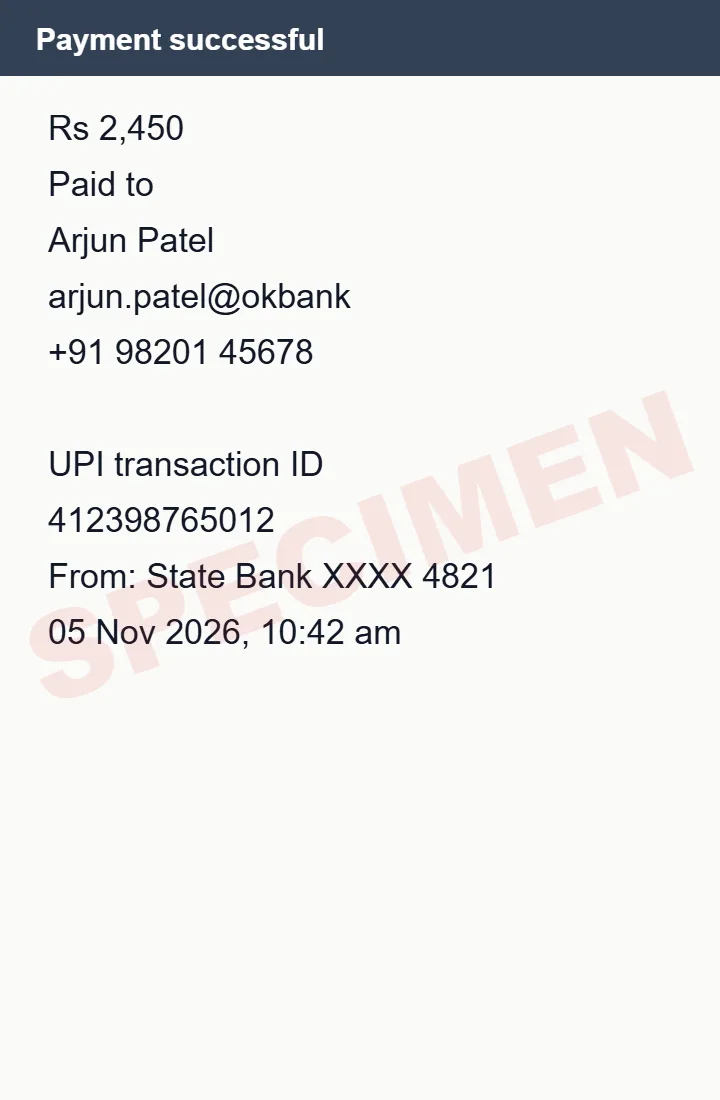
What gets hidden on your UPI payment screenshot
- UPI ID
- Phone number
- Transaction / UTR number
- Bank account number
- Names (optional)
- Amount (optional)
Ticked fields are covered as soon as your file opens. Tick or untick any of them, or draw a box over anything else.
How it works
- Drop a photo, scan or PDF of your UPI payment screenshot above.
- Its text is read on your device, and the fields you ticked are covered with solid boxes.
- Check the result, then download a safe copy. The file is checked again for anything still readable.
Questions
Which details are safe to show as payment proof?
Usually the amount, date and the last 4 digits of the account. Hide the rest unless the recipient asks for it.
Learn more
Other documents
- Aadhaar cardHides: Aadhaar number, Virtual ID (VID), QR code, Phone number
- PAN cardHides: PAN, Date of birth, QR code
- PassportHides: Passport number, Machine-readable zone (MRZ), File number, Date of birth, Address
- Driving licenceHides: Licence number, Date of birth, Address, QR code
- Voter ID (EPIC)Hides: EPIC number, Address, Date of birth
- ChequeHides: Bank account number, MICR line (bottom of the cheque)
- Bank statementHides: Bank account number, Customer ID / CIF, Address, Email, Phone number, UPI IDs, Card numbers
- Salary slipHides: PAN, UAN, PF number, ESI number, Bank account number
- Credit / debit cardHides: Card number, Expiry date, CVV
- ID card (any)Hides: ID numbers, Date of birth, Phone number, Email, Address, QR code
- Utility billHides: Consumer / account number, Meter number, Phone number, Email
- Bank passbookHides: Bank account number, CIF / customer ID, Nominee, Phone number, Email
- Form 16Hides: PAN (yours and the employer's), Your name and address
- GST certificateHides: GSTIN, Business address
- InvoiceHides: Customer name, Address, Email, Phone number, Tax IDs (GSTIN, VAT, EIN), Bank details, Card numbers
- Resume / CVHides: Name, Email, Phone number, LinkedIn, GitHub and website links, Address, Date of birth, Photo
- Medical reportHides: Patient name, Patient ID / MRN / UHID, Date of birth, Phone number, Email, Address, Insurance / policy number
- Driver's license (US)Hides: License number, Date of birth, Address, Document discriminator (DD)
- Social Security cardHides: SSN
- W-2 formHides: Social Security number, Your name and address, Control number
- Ration cardHides: Ration card number, Aadhaar numbers, Address, Phone number
- MarksheetHides: Roll number, Enrolment / registration number, QR code
- Property documentsHides: PAN, Aadhaar numbers, Phone number, Email, Photo, Signature
- ITR acknowledgement (ITR-V)Hides: PAN, Acknowledgement number, Address, Aadhaar numbers, Email, Phone number
- EPF passbookHides: UAN, Member ID / PF account number, Date of birth
- Birth certificateHides: Registration / certificate number, Address, Aadhaar numbers, QR code
- Insurance policyHides: Policy number, Customer / proposal number, Nominee, Date of birth, Address, Phone number, Email, PAN
- UK passportHides: Passport number, Machine-readable zone (MRZ), Date of birth
- SIN (Social Insurance Number)Hides: Social Insurance Number, Address